et-aircraft-app
et-aircraft-app is a custom graphical application to make offline aircraft tracking simpler to use. Simply plug in a Supported SDR and click on the airplane icon in the launcher on the left side of the Desktop.
The application should render an offline map with your current position. The position is based on your GPS location (if available), or fallback to the maidenhead grid specified by et-user.
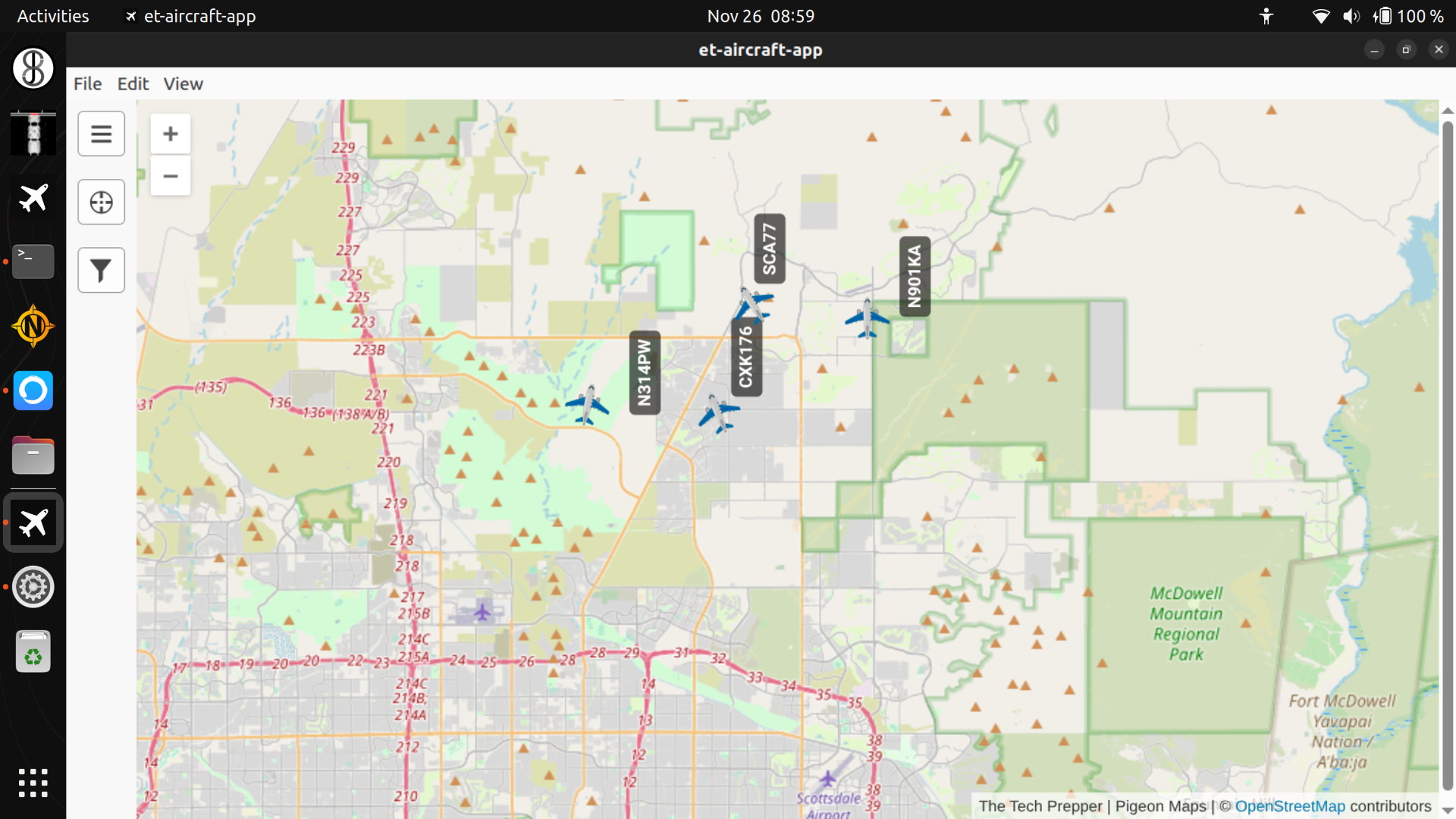
The map will be populated with aircraft as their ADS-B beacons are heard by your SDR.
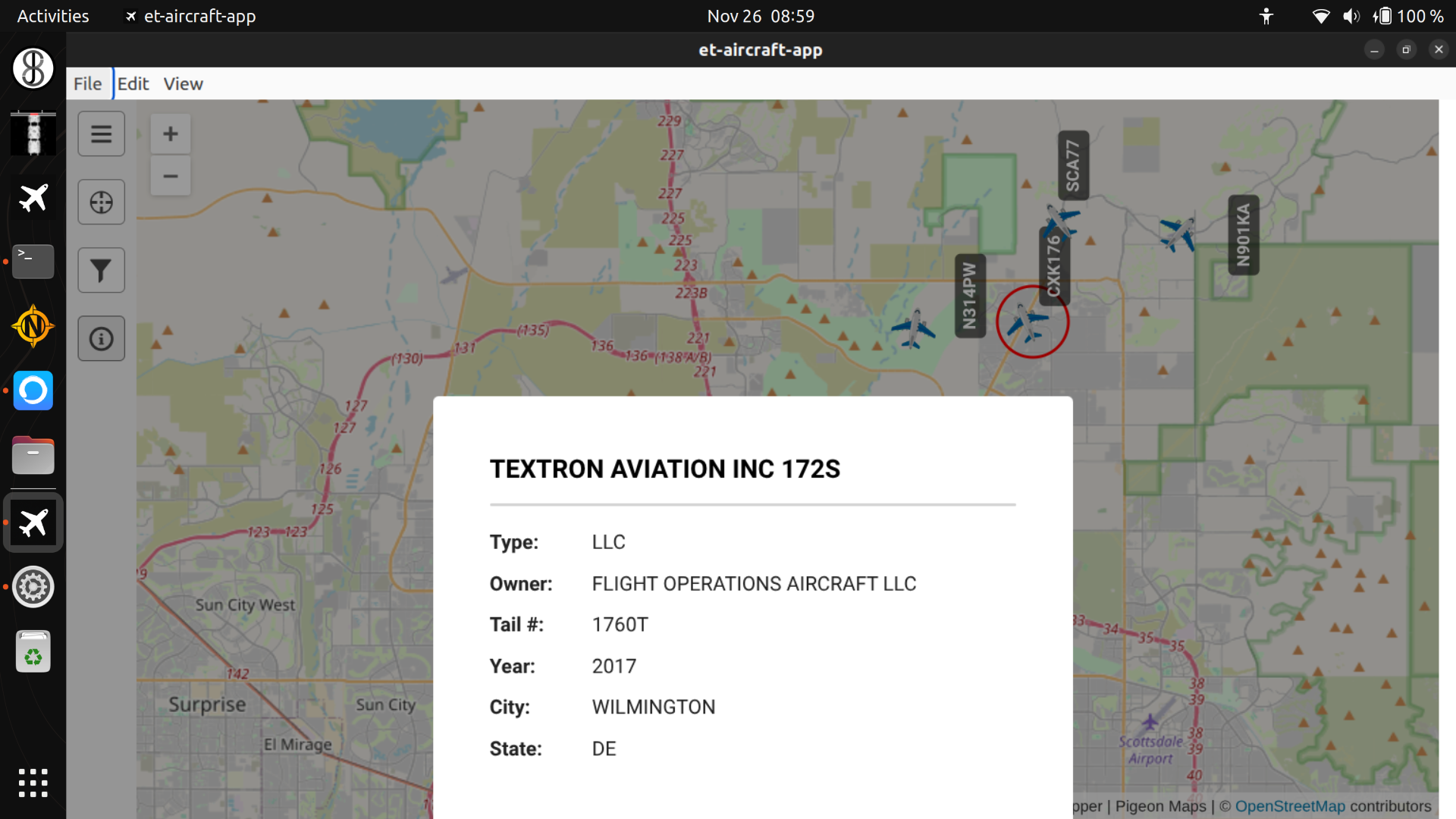
Clicking on the aircraft places a red tracking ring around it. An “info” icon appears on the left-hand side of the application if more information is known about the aircraft in the offline FAA database. Clicking on the info icon (i button) displays this information.
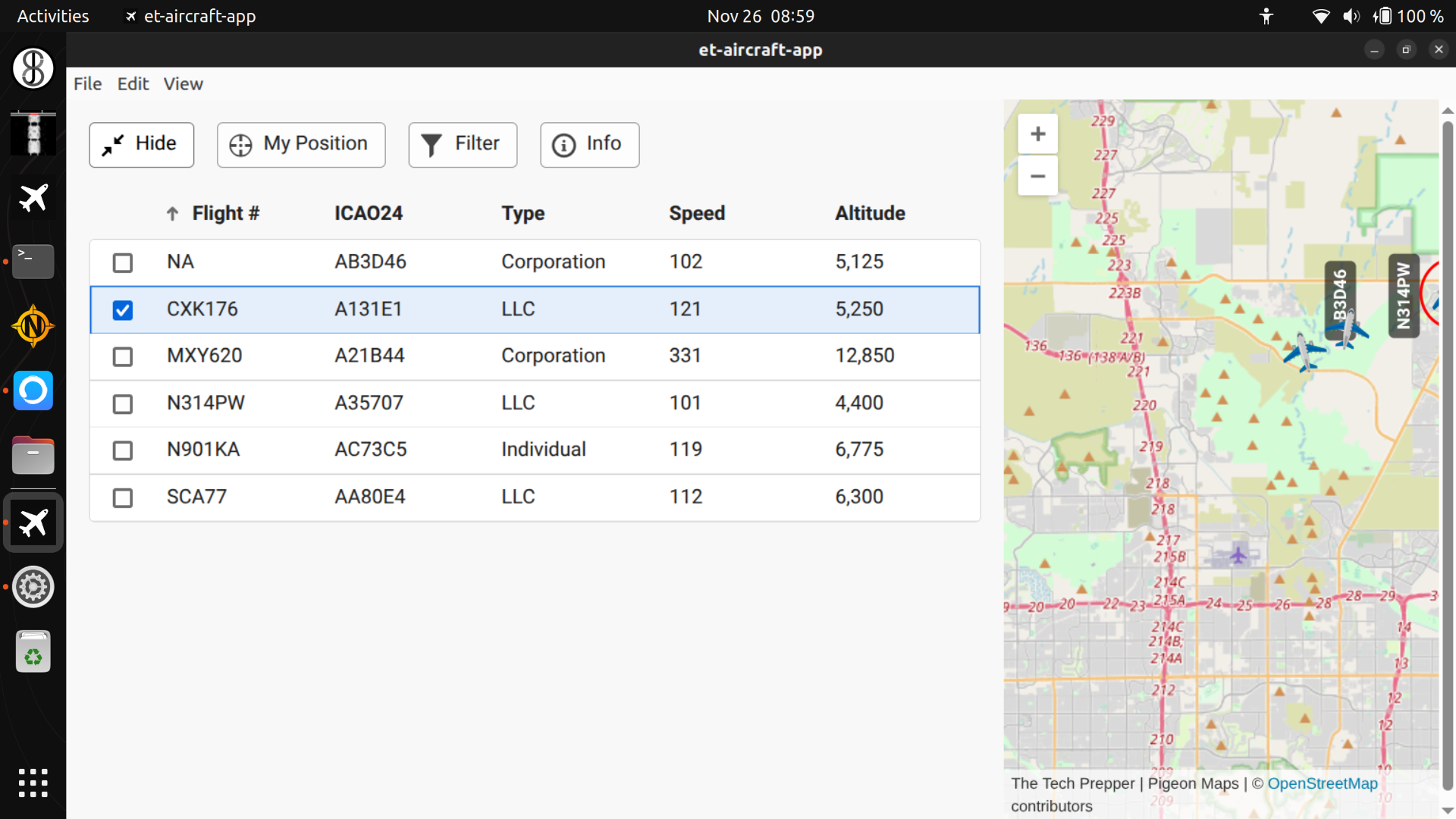
Click on the menu icon on the left-hand side of the application to get a table view of all the aircraft.
Each column can be sorted by clicking on the column labels.
You can mark an aircraft to track by clicking on the desired row.
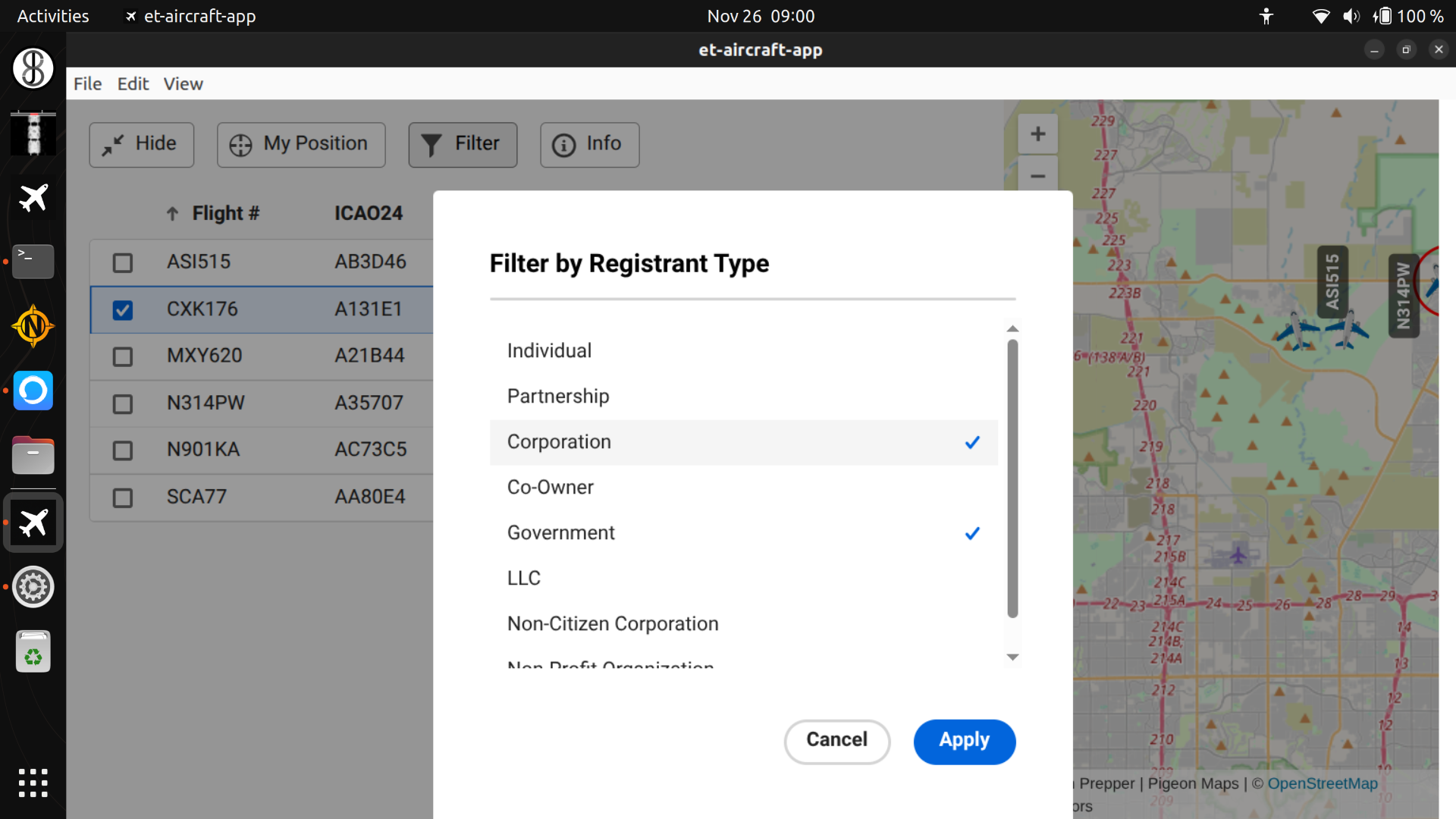
Lastly, you can filter the aircrafts displayed on the map and table by clicking on the “filter” (funnel icon) button.
The FAA database was updated on 11/12/25 and will be updated during the next major release of EmComm Tools Community. Currently, only U.S. aircraft are in the offline database. However, any aircraft that transmits an ADS-B beacon will be displayed on the map even if there is no information in the offline database.